 Screen Divider
A BetterSnapTool alternative with a visual grid editor
BetterSnapTool is a $1.99 classic for drag-to-edge snapping with custom snap areas. Screen Divider takes a layout-first approach: design the whole grid, merge zones, drag windows in.
Prices and features checked on folivora.ai and the Mac App Store on October 18, 2026.
What BetterSnapTool does well
BetterSnapTool is a long-running window snapping app from folivora.AI, the makers of BetterTouchTool. On the Mac App Store it costs $1.99, needs macOS 12 or later, and was last updated on October 18, 2026 (version 1.10.2). Per its website, it lets you:
- Drag windows to the screen’s corners or to the top, left or right edge to maximize them, put them side by side, or resize them to a quarter of the screen.
- Create your own custom snap areas anywhere on your display.
- Set custom keyboard shortcuts.
- Customize clicks on the window buttons, and move or resize windows by holding a key.
For two dollars, that’s a lot of window management. If drag-to-edge snapping plus a few custom areas is what you want, it’s cheaper than Screen Divider and a fair first pick.
Where Screen Divider differs
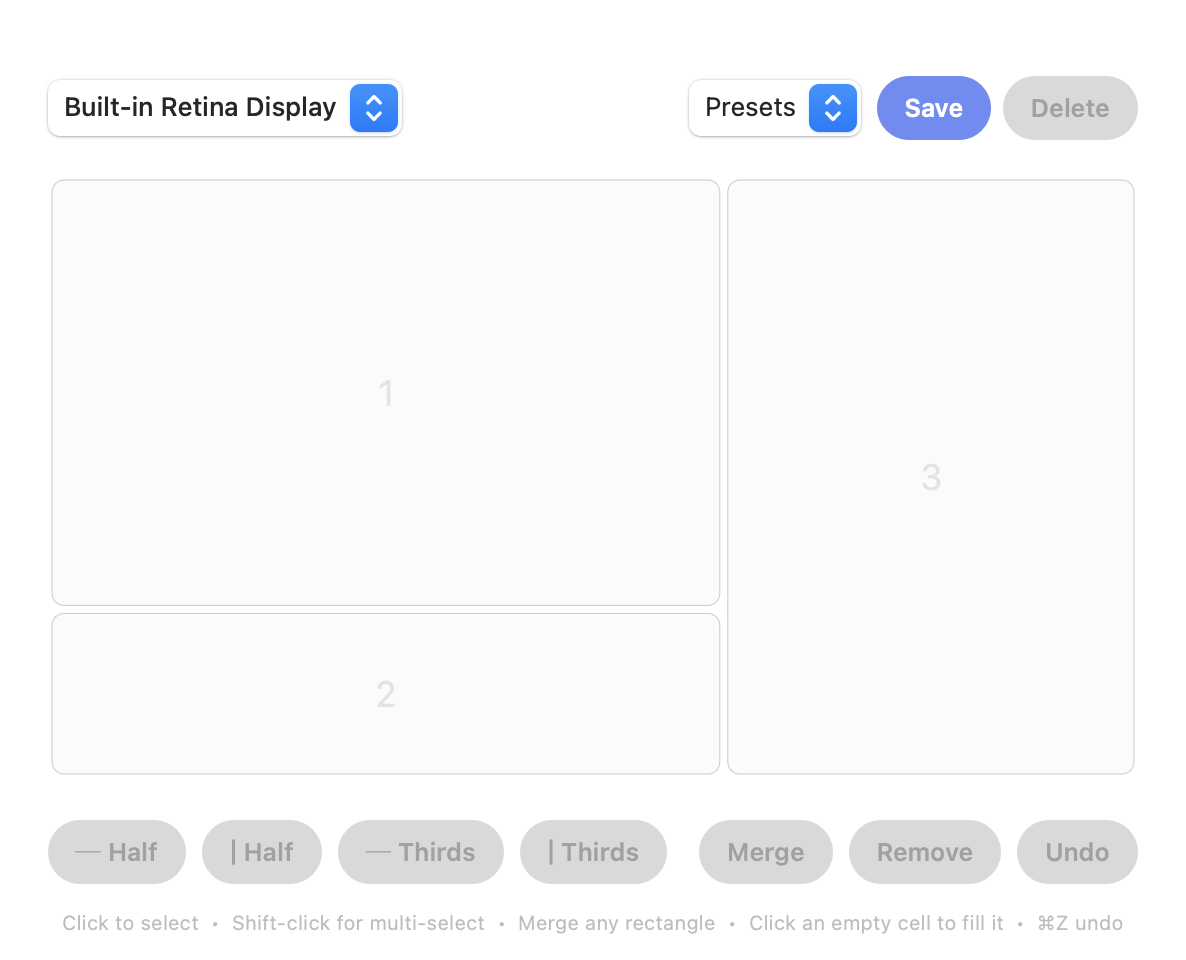
BetterSnapTool starts from screen edges and lets you add snap areas on top. Screen Divider starts from a layout: you split the whole screen into a grid in a visual editor, merge any rectangle of cells into one zone, and every zone becomes a drop target when you drag a window. You design the full arrangement once, per display, instead of placing areas one at a time.
| BetterSnapTool | Screen Divider | |
|---|---|---|
| Price | $1.99 (Mac App Store) | $12 one-time (direct) |
| macOS | 12+ | 13+ |
| Snap by dragging | To edges and corners, plus custom snap areas | Into zones you design |
| Custom layouts | Custom snap areas you add | Visual grid editor; merge any rectangle of cells |
| Keyboard shortcuts | Yes, customizable | Drag-first |
| Multiple monitors | See its site for details | Yes, a separate layout per display |
Which should you choose?
If you want the cheapest way to get Windows-style edge snapping plus a few custom areas and shortcuts, BetterSnapTool is hard to argue with at $1.99. If you’d rather draw your whole layout (a wide center, a tall sidebar, a bar along the bottom) and drag windows into it, Screen Divider is built for that. And if your Mac is on macOS 15 or later, try the free built-in tiling first; see how to tile windows on a Mac.
Comparing other apps? See our Magnet alternative, Rectangle alternative and Divvy alternative pages.
FAQ
How much does BetterSnapTool cost?
$1.99 on the Mac App Store as of October 18, 2026. It needs macOS 12 or later.
Does BetterSnapTool have custom snap areas?
Yes. Its website says you can create your own custom snap areas anywhere on your display.
Why pay $12 for Screen Divider when BetterSnapTool is $1.99?
You’re paying for the visual grid editor and mergeable zones: you design a whole layout per display and drag windows into it. If edge snapping and a few custom areas cover your needs, BetterSnapTool is the cheaper choice.